
CoCoFlix APK
Download CocoFlix APK to explore movies, TV shows, web series, and live channels in HD. Discover CocoFlix features, Android support, and streaming options in one place.
CocoFlix
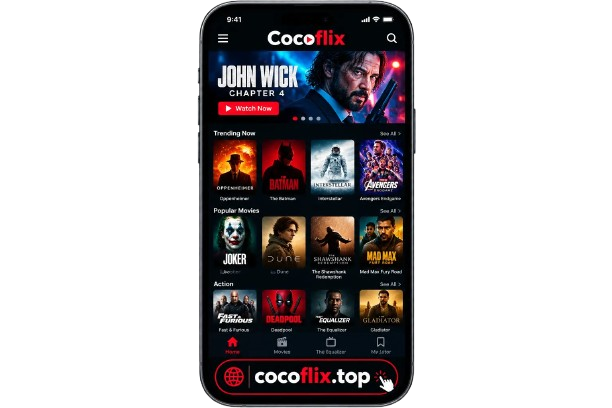
If you are looking for an app to watch free movies, series or live shows and dramas then you must have heard of CocoFlix. It is a trending online streaming app these days. It is an Android streaming app that installs via an APK file. If you are a fan of watching your online movies or anime then this app will be perfect for you. You must try it once. It is not available on the Google Play Store.
But keep one thing in mind. Some sites claim it to be the new version of PikaShow, but we have not found any official source to confirm this. That is why after installing, check the version inside the app itself. In this guide, you will learn what CocoFlix app is how to install it and. Finally, the best alternatives are given so that you can make an informed decision.
What is CocoFlix App
CocoFlix is an Android streaming app where we get a lot of movies, shows, animes movies of every genre. Nowadays, this app is the best app for movie lovers or anime lovers or those who want to watch movies with their family and kids. You install it through an APK file because it is not listed on the Google Play Store. Websites describe it as a place to browse movies and TV shows. They also mention anime and live channels within the same app. The idea is simple. Every web series in it, whether it is Netflix or Prime Video or any premium app, will be given for free in this app and if its video is not playing, then some servers are given from where we can download the same movie in full HD. So what’s the point, download this app now and enjoy a new trending app.
Why So Many People Are Talking About It
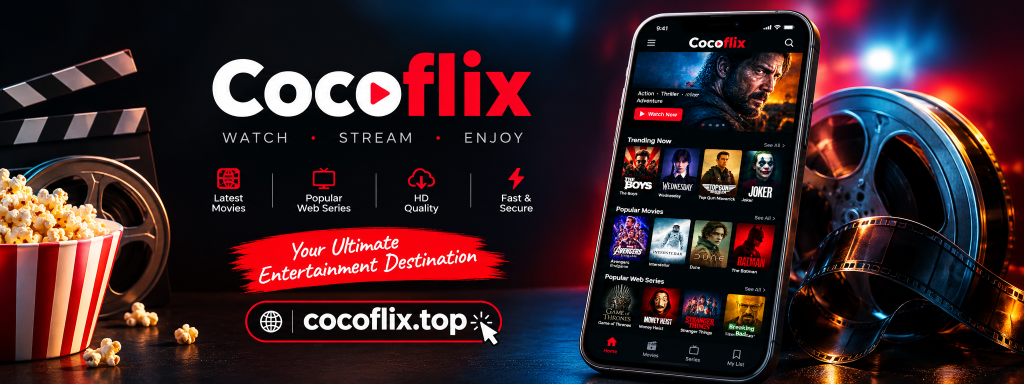
Streaming has become a big part of daily life. People watch on the bus. They watch before bed. They watch on weekends with their family. As the number of services grows the cost grows too. CocoFlix APK gets attention because it is described as free to use. It is also described as easy. You do not need to hunt through menus to find something. Many users like that the app stays out of the way. Another reason is curiosity. Some websites call CocoFlix the next step after PikaShow. That claim is not confirmed by an official source. Still it pushes people to search for the name and find out more.
Why Viewers Prefer CocoFlix
Digital media consumption requires speed and convenience. Users dislike waiting for files to buffer or pay heavy monthly bills for entertainment. This streaming app meets every modern streaming requirement with great efficiency. One big reason for its growing popularity is the massive range of content available. Whether you love action movies, emotional drama series or live television channels CocoFlix app has something special for your mood. New titles are added regularly to keep the video library fresh and exciting. Another key factor is how effortless the viewing experience feels. Traditional streaming services demand complex registration procedures and personal information. CocoFlix removes all unnecessary friction so you can start watching your favorite show in seconds.
Best Features of CocoFlix
100% Free Access Without Any Subscription
The biggest advantage of CoCoFlix is that it’s a completely free platform. You don’t need any monthly packages or paid subscriptions to use this app. Compared to expensive platforms like Netflix or Prime Video, it gives you complete freedom to watch all the latest movies and shows for free without draining your wallet.
No Account Registration Required
Many streaming apps ask for personal details, email addresses, or phone numbers before use. However, CoCoFlix doesn’t require you to create an account or profile. As soon as you open the app, you can directly start streaming by clicking on your favorite movie without any sign-up process.
Large content library in one place
The most prominent thing about CocoFlix is its vast library. According to reports, it has movies, web series, TV shows, anime and documentaries. You don’t need to open separate apps. There is a possibility of finding something for every mood and every age. Everyone in the house can find content of their choice.
Movies by category
Not every evening is the same mood. Sometimes you want action and sometimes light comedy. It is said that the movies in CocoFlix are divided into categories such as action, comedy, drama, horror, romance and thriller. This makes browsing easier. You open the category of your choice and get straight to the movie of your mood.
Web series and TV shows
A movie is a matter of one night, but a series lasts for several days. CocoFlix has also reported web series and TV shows along with movies. The advantage of having both in the same app is that you can finish one story and immediately start another. This is very useful on long weekends.
Live TV channels
Live TV channels are mentioned in some versions. News, entertainment, and sports channels are the most popular. This feature is good because you can get the option to watch channels even without a cable connection. However, the quality of the live stream depends on the server and the internet. Therefore, the same experience is not necessary every time.
Live sports facility
Cricket and football enthusiasts often search for the name CocoFlix for this reason. According to reports, live streams of big matches can be found in some versions. When the match starts, there is no need to open a separate app. Just remember that during big matches, the load on the server increases and the stream may also be slow.
Best Features of CocoFlix
CoCoFlix makes absolutely no compromises when it comes to video quality. The app offers video streaming options ranging from 360p, 480p, 720p HD to 1080p Ultra HD. Viewers can easily select the video resolution according to their internet speed and mobile data bundle to get clear results.
Built-in Subtitles and Multilingual Audio
Subtitles are essential when watching Hollywood or foreign language movies. Download CocoFlix for Android built-in video player integrates subtitles in English, Hindi, Urdu, and other languages. Furthermore, some titles also offer dual audio options, making viewing a breeze.
Support for External Video Players
If you don’t want to use the app’s own video player, this app allows you to choose external video players. You can divert the video stream to your favorite VLC Player, MX Player, or BubbleUPnP and enjoy their advanced gesture controls and audio boosters.
Smart TV & FireStick Compatibility
CoCoFlix isn’t just limited to mobile devices. The app is 100% compatible with Amazon FireStick, Smart Android TVs, and TV boxes. The big screen layout and remote control navigation allow you to experience a cinema-like experience on your home TV without any extra devices.
User Wishlist and Bookmarking Feature
You can bookmark movies in advance to watch at home or in your free time. The app includes an ‘Add to Favorites’ or wishlist option, allowing you to create and save a list of your favorite movies so you don’t have to search for them later.
Safe and Malware-Free Package
Many third-party apps contain viruses or harmful scripts. The CoCoFlix APK is tested with security tools to keep users’ phones safe. It doesn’t contain any intrusive spyware, ensuring your data and device privacy are completely safe.
CocoFlix vs PikaShow
Is CocoFlix the New PikaShow?
You will see this claim on many websites. They say CocoFlix is the new version of PikaShow with a cleaner look and better support for Android TV and Firestick. Here is the honest part. We could not find an official statement from a developer that proves this. Every page that repeats the claim is a third party site. So read it as what people say and not as a confirmed fact.
| Point | What sites claim about CocoFlix | What sites claim about PikaShow |
| Look | Newer and cleaner | Older |
| Updates | Regular | Stopped |
| Android TV and Firestick | Works | Limited |
| Ads | Fewer | More |
One tip is useful either way. If you used PikaShow before then remove it before you install CocoFlix. Two similar apps on one phone can cause the “App not installed” error.
How to Download and Install CocoFlix App?
To download and install CocoFlix APK on Android, first find a trusted source and verify the app developer. Check the file details and make sure your device meets the system requirements.
Note: The availability and safety of cocoflix official APK depend on the specific version and download source.
CocoFlix for iPhone and iPad
iPhone and iPad users should check the Apple App Store for the exact application. Confirm the developer and read the available app information. Android APK files cannot be installed directly on iOS devices. The two systems use different application formats and installation methods.
If a compatible cocoflix mod apk is not available users can consider a legitimate website or another entertainment service that supports iOS. Be careful with unfamiliar websites that promise easy installation through unknown profiles or certificates. Check the source before allowing changes to your device.
How to Use CocoFlix on Windows or Mac
The app is made for Android. A computer cannot run an APK on its own. You need a small helper program called an Android emulator. BlueStacks and NoxPlayer are two names many people use.
Here is how it works.
CocoFlix on Smart TV & FireStick
Installing On Android Smart TV Box
Setting Up On Amazon FireStick
CocoFlix Platform Benefits
Free Unrestricted Access To Premium Entertainment
The biggest advantage of CocoFlix is its completely open model. You never have to connect a credit card or pay monthly membership fees. All movies and shows are available to stream without hidden charges.
No Account Creation Or Personal Sign Up
Privacy conscious users love this application because it asks for zero personal data. You do not need to create a profile or share your email address. You simply open the application and choose what you wish to play.
Lightning Fast Streaming Servers
Buffering destroys the fun of watching movies online. CocoFlix handles this by utilizing high speed cloud servers located around the world. Video links load within seconds so your media plays without annoying interruptions.
Multi Quality Video Resolutions
Not every user has access to unlimited high speed Wi-Fi. CocoFlix offers customizable video resolution options including 360p 420p 720p HD and full 1080p Ultra HD. You can easily pick the format that matches your data plan.
Multi Language Subtitle Support
Watching international films is easier than ever with built-in subtitle tools. You can load subtitles in English, Spanish, Hindi , French and many other global languages with a simple tap inside the video player screen.
CocoFlix vs Other Streaming Apps
| Feature Comparison | CocoFlix APK | Other Movie Apps |
| User Interface Design | Clean Dark Theme | Cluttered Ads |
| Server Response Speed | Fast Cloud Links | Slow Buffering |
| Account Requirement | Not Required | Mandatory Sign up |
| HD Playback Support | Up to 1080p / 4K | Limited 480p |
| Subtitle Integration | Built In Multi | Manual Download |
| App Size Optimization | Low Memory Use | Heavy System Load |
FAQs
It is an Android streaming app installed through an APK file. It lists movies and shows and cocoflix anime and live channels.
Websites report that it is free to use
Reports say no account is needed.
No. It is installed manually.
Yes through an Android emulator.
There is no official iPhone version.
Final Words
CocoFlix Apk gets attention for good reasons. Before you install anything, take a moment to scan the file and check permissions. Think about the rules in your country too. If you decide the risk is not for you then the legal options above give you plenty to watch. Whatever you choose, enjoy your next movie night.